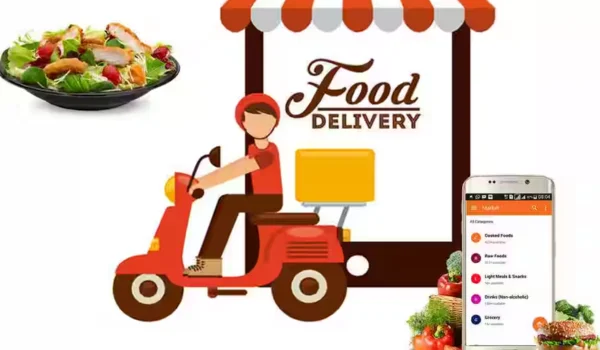
Ordering food through a delivery app is usually convenient, but problems can happen. Your order may show as delivered even though you never received it, an item may be missing, or the entire order may fail to arrive.
When this happens, contact the food delivery app as soon as possible. A clear complaint with the correct order details can help the support team investigate the issue and determine whether a refund, replacement, or another resolution is available.
What Is a Missing Food Order?
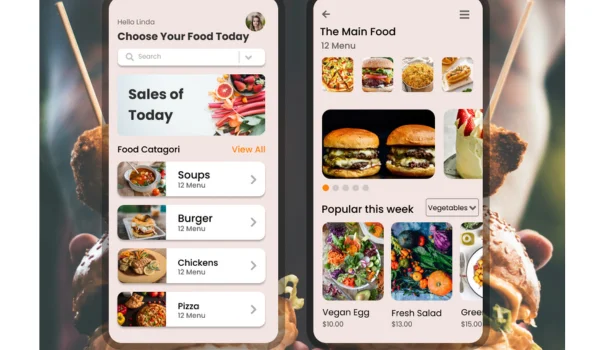
A missing order can mean different things.
For example:
- The entire order never arrived.
- The app says “Delivered,” but you did not receive it.
- One or more items are missing.
- The order was delivered to the wrong address.
- The delivery person could not be reached.
- The order was marked cancelled without a clear explanation.
Identifying the exact problem will help you report it correctly.
Step 1: Check Your Order Status
Before contacting customer support, open the food delivery app and check the order details.
Look for:
- Order status
- Delivery time
- Delivery address
- Restaurant name
- Order number
- Delivery instructions
- Rider or delivery information, if available
Sometimes an order may be delayed even though the estimated delivery time has passed.
If the order is still shown as active, check whether the app provides a way to contact the delivery person or restaurant.
Step 2: Confirm That the Order Was Not Delivered
If the app shows that the order was delivered, quickly check:
- Your front door
- Building reception
- Security desk
- Designated delivery area
- Nearby entrance
- With household members or colleagues
A delivery person may sometimes leave food in a designated location or hand it to another authorized person.
If you still cannot find it, report the issue through the app.
Step 3: Use the App’s Help or Support Section
Most food delivery apps provide an in-app support option.
Open:
Orders → Select the Order → Help/Support → Report the Problem
The exact menu names may differ between apps.
Choose the option that most closely matches your situation, such as:
- Order not received
- Missing items
- Incorrect order
- Delivered to wrong location
- Delivery issue
- Food not received
Using the correct category can help route your complaint to the appropriate support team.
Step 4: Provide Your Order Details
When contacting support, provide the information needed to identify the order.
This may include:
- Order number
- Date and time
- Restaurant name
- Delivery address
- Missing item or items
- Amount paid
- Order status shown in the app
If the entire order is missing, clearly state that you did not receive the order.
Step 5: Explain the Problem Clearly
Keep your message short and factual.
Example Message
Subject: Order Not Received – Order #[Order Number]
Hello,
I am contacting you regarding order #[Order Number], placed on [date].
The app shows the order as delivered, but I did not receive it. I have checked the delivery location and confirmed that the order was not received.
Please investigate the delivery and let me know what resolution is available.
Thank you.
This format gives the support team the essential information without unnecessary details.
What If Only an Item Is Missing?
If you received the order but one or more items are missing, do not report the entire order as missing.
Instead, tell customer support exactly which items were not included.
For example:
“I received the order, but the burger and beverage listed in the order were missing.”
If possible, keep the packaging and take photographs of the items you received.
The app may ask for supporting evidence.
What If the App Says “Delivered”?
This situation can be particularly confusing.
If the app says “Delivered” but you did not receive the food:
- Check your delivery location.
- Ask household members or reception staff.
- Check whether the delivery instructions were followed.
- Contact the delivery person through the app if that option is available.
- Report the order as not received through customer support.
Do not wait unnecessarily if you believe the order was incorrectly marked as delivered.
What If the Delivery Person Cannot Be Reached?
If the delivery person is not responding, use the app’s customer-support option.
Provide the order number and explain that you have been unable to receive the order.
Avoid sharing personal contact information with strangers beyond what is necessary for the delivery.
What If the Order Was Delivered to the Wrong Address?
Contact customer support immediately.
Explain that:
- The order was not delivered to you.
- Your correct delivery address was shown in the order.
- The order was marked delivered or completed.
The company may investigate the delivery location and determine the appropriate resolution.
Can You Ask for a Refund?
You can request a refund when an order or item has not been received, but a refund is not automatically guaranteed.
The delivery platform may investigate the complaint before deciding whether to issue:
- Full refund
- Partial refund
- Replacement
- App credit
- Another form of resolution
The outcome may depend on the circumstances and the platform’s policies.
Keep Evidence of the Problem
If the app asks for evidence, provide relevant information.
Useful evidence may include:
- Order screenshot
- Order confirmation
- Delivery-status screenshot
- Photograph of received items
- Photograph of packaging
- Communication with the delivery person
- Payment confirmation
Do not provide unnecessary personal information.
What If Customer Support Rejects the Complaint?
If you believe the complaint was incorrectly rejected, review the explanation provided by the platform.
You can:
- Reopen or appeal the support request if the app allows it.
- Contact customer support again.
- Provide additional evidence.
- Ask for the complaint to be reviewed by a senior support representative.
- Check the platform’s formal complaint or consumer-support process.
Keep your order number and previous support communication.
What If You Paid Online?
If you paid through a card, bank account, or digital payment method, keep your payment confirmation.
However, do not immediately dispute the payment with your bank simply because the food was missing.
First, give the food delivery platform an opportunity to investigate and resolve the issue. If the platform does not resolve the matter and you believe a payment dispute is appropriate, check the applicable process with your payment provider.
What If the Order Was Paid in Cash?
If the order was supposed to be paid in cash but was never delivered, explain this clearly to the platform.
If someone asks you to make an additional payment outside the app to resolve the problem, be cautious.
Use the platform’s official payment and support channels.
Common Mistakes to Avoid
Waiting Too Long
Report the missing order promptly.
Reporting the Wrong Problem
If only one item is missing, report the missing item rather than claiming the entire order was not delivered.
Providing an Unclear Explanation
Include the order number and clearly explain what happened.
Deleting Evidence
Keep screenshots, receipts, and relevant messages until the matter is resolved.
Paying Someone Outside the App
Do not make unexpected payments to a delivery person or supposed support representative outside the platform’s official payment system.
Frequently Asked Questions
What should I do if my food order never arrives?
Check the order status and delivery details, then contact the food delivery app through its official support section and report that the order was not received.
What if my order says delivered but I did not receive it?
Check your delivery location and ask household members, reception staff, or others who may have accepted the order. If you still cannot find it, report the issue to the app immediately.
Can I get a refund for a missing food order?
You can request a refund, but the platform may investigate the complaint before deciding whether a full or partial refund or another resolution is appropriate.
What information should I provide to customer support?
Provide your order number, date, restaurant, delivery status, missing items, and a clear description of what happened.
Should I contact the restaurant or the delivery app?
If the order was placed through a delivery platform, the platform’s support system is usually the appropriate first place to report a missing order. The platform may coordinate with the restaurant or delivery person as needed.
Final Takeaway
A missing food order should be reported quickly and through the delivery platform’s official support channel.
The basic process is simple:
Check the order → Confirm it was not received → Open Help/Support → Select the correct issue → Provide the order number → Explain the problem → Request a resolution.
Keep screenshots and other relevant records until the issue is resolved. If the platform does not resolve the complaint, use its available escalation or complaint process.
Most importantly, avoid making payments or sharing unnecessary personal information with anyone who contacts you outside the official delivery platform.
This article is for general informational purposes only. Refund policies, complaint procedures, and available resolutions vary between food delivery platforms, restaurants, payment methods, and jurisdictions.
About the Author