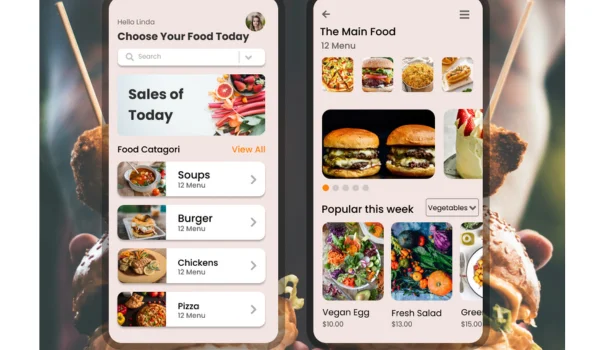
Food delivery apps make ordering convenient, but problems can still happen. An order may be delayed, marked as delivered when it never arrived, contain missing items, or include the wrong food.
When something goes wrong, contacting customer support through the official app or website is usually the best first step. Many platforms direct customers to in-app help for order-related problems. For example, Zomato directs customers with live-order issues to its Support or Online Ordering Help section, while Swiggy provides a dedicated Help & Support section.
When Should You Contact Food Delivery Support?
You may need customer support when you experience problems such as:
- Order not received
- Order marked as delivered incorrectly
- Missing food items
- Wrong food delivered
- Damaged or spilled food
- Significant delivery delay
- Payment problems
- Refund issues
- Order cancellation problems
- Food quality or safety concerns
The correct support process can vary depending on the platform and how the order was placed.
Step 1: Check Your Order Details
Before contacting support, open the order in the app and review its current status.
Check:
- Order number
- Restaurant name
- Items ordered
- Payment status
- Delivery status
- Estimated delivery time
- Delivery address
Having these details ready makes it easier to explain the problem.
Step 2: Open the Help or Support Section
Most major food delivery platforms provide help directly through their apps.
Look for options such as:
Orders → Select Your Order → Help/Support
The exact wording can be different from one platform to another.
For example, Zomato currently directs users with live-order problems to Support or Online Ordering Help in the app.
Swiggy also provides a Help & Support section for order-related assistance.
Step 3: Select the Correct Problem
Choose the support category that best describes your situation.
Common options may include:
- Order not delivered
- Missing items
- Wrong items
- Delivery delay
- Payment issue
- Refund issue
- Food quality problem
- Other order-related issue
Selecting the correct category can help direct your complaint to the appropriate support process.
Step 4: Explain the Problem Clearly
Keep your complaint short and factual.
For example:
“My order #[Order Number] was marked as delivered, but I did not receive it. I checked the delivery location and confirmed that the order was not received. Please investigate and advise on the available resolution.”
If an item is missing, identify the exact item instead of simply saying that the order is incorrect.
Step 5: Provide Evidence When Requested
Depending on the issue, customer support may ask for additional information.
Useful evidence can include:
- Order screenshot
- Food photographs
- Packaging photographs
- Receipt
- Payment confirmation
- Delivery-status screenshot
- Order reference number
For a missing or incorrect item, photographs of the food and packaging may help explain the problem.
What If Your Order Is Marked as Delivered?
If the app says “Delivered” but you did not receive the order:
- Check your door or designated delivery location.
- Ask family members, colleagues, reception staff, or security personnel if they accepted it.
- Check the delivery instructions.
- Contact the delivery person through the app if that option is available.
- Report the order as not received through customer support.
Do not unnecessarily delay the complaint.
What If Your Order Is Wrong?
If you received the wrong food, compare the delivered items with the original order.
Tell support:
- What you ordered
- What you received
- Which items are incorrect
- Your order number
If possible, take photographs of the delivered items and packaging.
What If an Item Is Missing?
List the missing items individually.
For example:
“I ordered two meals and two drinks. The meals were delivered, but both drinks are missing.”
This gives customer support a clear understanding of the problem.
What If the Order Is Delayed?
First check the latest delivery status.
If the estimated delivery time has passed significantly, contact support and provide your order number.
Ask for an update rather than immediately assuming that the order has been cancelled or lost.
What If You Have a Food Quality Problem?
If food appears spoiled, contaminated, severely damaged, or otherwise unsafe, stop eating it.
If it is safe to do so, keep the relevant packaging and take photographs.
Then report the problem through the platform’s official support system or directly to the restaurant if the order was placed with the restaurant.
Can You Contact the Restaurant Instead?
It depends on how you placed the order.
If you ordered directly from the restaurant, contact the restaurant’s official customer-support channel.
If you ordered through a third-party delivery platform, the platform is generally the appropriate first point of contact for delivery-related problems. Some restaurants explicitly direct customers to the delivery partner when the order was placed through that partner.
Can You Request a Refund?
If you have a genuine problem with your order, you can request a refund or another appropriate resolution.
Depending on the circumstances, the platform may offer:
- Full refund
- Partial refund
- Replacement
- App credit
- Another resolution
A refund is not automatically guaranteed. The platform may review the order and available information before making a decision.
What If the App Does Not Solve the Problem?
If the first support interaction does not resolve the issue, keep your complaint or ticket number and ask whether the matter can be reviewed again.
You can:
- Provide additional evidence.
- Reopen the support request if available.
- Ask for escalation.
- Contact the platform through another official support channel.
- Follow its formal complaint process.
Some services provide additional support methods. For example, Uber describes app-based help as well as phone, online, and in-person support options for its services.
Keep Records of Your Complaint
Save important information until the issue is resolved.
Keep:
- Order number
- Order receipt
- Screenshots
- Photos
- Support messages
- Complaint or ticket number
- Refund confirmation
These records can be useful if you need to follow up.
Be Careful With Fake Customer Support
Scammers can pretend to be customer-service representatives.
Be cautious if someone contacts you unexpectedly and asks for:
- OTP
- UPI PIN
- ATM PIN
- Banking password
- Card CVV
- Remote access to your phone
- An unexpected payment to process a refund
Use the delivery platform’s official app or website to contact support instead.
Common Mistakes to Avoid
Calling an Unverified Number
Do not rely on random customer-care numbers found online. Start with the platform’s official website or app.
Giving Too Little Information
Include your order number and clearly explain what went wrong.
Making False Claims
Report only the problem that actually occurred.
Deleting Evidence
Keep photographs, receipts, and support messages until the issue is resolved.
Waiting Too Long
Report serious order problems promptly, especially when they involve food safety, unauthorized payments, or an order marked delivered when it was not received.
Frequently Asked Questions
How do I contact food delivery customer support?
Open the official food delivery app, select the affected order, and look for the Help, Support, or Order Assistance option. Many platforms use in-app support for order-related problems.
Can I contact customer support by phone?
Some platforms provide phone support, while others primarily use in-app or online support. Check the platform’s official support page for the currently available options.
What information should I give customer support?
Provide your order number, restaurant name, date, problem description, and relevant evidence. Avoid sharing passwords, PINs, OTPs, or other confidential security information.
What should I do if my order says delivered but I never received it?
Check the delivery location and ask whether someone else accepted the order. If you still cannot find it, report it through the platform’s official support system as soon as possible.
Can I get a refund for a food delivery problem?
You can request a refund, but the platform may investigate the complaint before deciding whether a full refund, partial refund, replacement, credit, or another resolution is appropriate.
Final Takeaway
When a food delivery order goes wrong, start with the platform’s official customer-support channel.
The basic process is:
Check the order → Open Help/Support → Select the correct issue → Explain the problem → Provide evidence → Request a resolution → Follow up if necessary.
Keep your order details and complaint records until the matter is resolved. Most importantly, use only official support channels and never share your OTP, PIN, password, or other confidential financial information with someone claiming to be customer support.
This article is for general informational purposes only. Customer-support methods, refund policies, complaint procedures, and available remedies vary between food delivery platforms, restaurants, payment methods, and jurisdictions.
About the Author