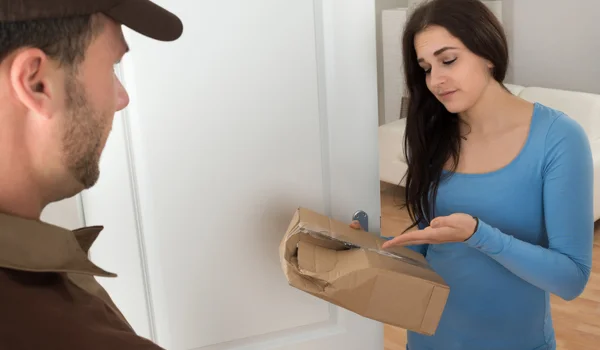
Online shopping makes it easy to buy products from home, but problems can arise after placing an order. A product may not arrive, a refund may be delayed, the wrong item may be delivered, or a return request may remain unresolved.
The situation becomes more frustrating when customer support does not respond to your complaint.
If this happens, do not keep sending the same message repeatedly without a plan. Instead, keep your records, follow the proper escalation process and clearly communicate what resolution you want.
This guide explains what to do when online shopping customer support does not respond and how to escalate an unresolved complaint in a systematic way.
Why Does Online Customer Support Sometimes Not Respond?

There can be several reasons for a delayed response.
Common reasons include:
- High customer-support volume
- Technical problems
- Complaint submitted through the wrong channel
- Automated support not recognising the issue
- Complaint requiring seller or courier investigation
- Refund or payment verification taking time
- Support request not properly registered
- Complaint being closed without a satisfactory resolution
A delayed response does not necessarily mean that your complaint has been ignored permanently. However, if the promised response period has passed, you should follow up.
First Check Your Complaint Status
Before raising another complaint, check whether your existing complaint has a status update.
Look for:
- Complaint number
- Support ticket
- Case reference
- Expected response date
- Current status
- Assigned department
- Latest message
Some platforms may provide updates inside the app or through email or SMS.
If a complaint is already open, use the same reference when following up.
Keep Proof of Your Original Complaint
If customer support is not responding, your previous complaint records become important.
Keep:
- Screenshots
- Emails
- Chat transcripts
- Complaint numbers
- Order confirmation
- Invoice
- Payment records
- Delivery information
- Return details
- Refund information
These records show when you reported the problem and what information you provided.
Give Customer Support a Clear Complaint
A vague complaint may take longer to resolve.
Instead of writing:
“My order problem is not solved.”
write:
“My order was delivered with a damaged product. I raised a replacement request on 18 August, but I have not received any update. My order number is XXXXX. I request a replacement or an appropriate resolution.”
A clear complaint tells the support team exactly what needs to be investigated.
Follow Up Using the Existing Complaint Number
If you already have a complaint reference, use it when contacting customer support again.
For example:
“I am following up on complaint reference ABC123, raised on 18 August regarding my missing order. I have not received a response yet. Please provide an update and expected resolution date.”
This is usually better than creating several new complaints for the same issue.
Try Another Official Support Channel
If one support channel is not responding, check whether the company provides other official channels.
Depending on the online shopping platform, these may include:
- In-app customer support
- Help Centre
- Email support
- Customer-care phone support
- Chat support
- Grievance or escalation department
Use the channel specifically provided by the company for your type of complaint.
Avoid relying on random phone numbers or social-media accounts claiming to provide customer support.
Contact the Seller When Appropriate
On marketplaces, the seller may be responsible for certain aspects of the order.
For example, the seller may need to address:
- Product defects
- Wrong product
- Missing accessories
- Warranty information
- Product specifications
If the platform provides a seller-contact option, you can use it.
However, keep the marketplace complaint open where appropriate, particularly when the issue involves delivery, payment or refund.
Contact the Delivery Company When the Problem Is Delivery-Related
If the problem specifically concerns delivery, tracking information may identify the courier.
You may be able to ask about:
- Shipment location
- Delivery attempt
- Delivery date
- Delivery status
- Proof of delivery
If the courier cannot resolve the issue, update the shopping platform’s complaint.
Keep your tracking number and order number ready.
Escalate the Complaint
If ordinary customer care does not respond, look for the company’s formal escalation or grievance process.
An escalation should include the complete history of the complaint.
Mention:
- Order number
- Complaint number
- Date of purchase
- Date of delivery
- Date the complaint was raised
- Previous responses
- Current problem
- Resolution requested
This gives the escalation team a complete picture.
Write a Formal Escalation Message
Your escalation message should be polite but firm.
Sample Escalation Complaint
Subject: Escalation of Unresolved Online Shopping Complaint
Dear Customer Support Team,
I am writing to escalate my unresolved complaint regarding the following order.
Order Number: [Order Number]
Product: [Product Name]
Order Date: [Date]
Complaint Reference: [Reference Number]
Original Complaint Date: [Date]
I previously contacted customer support regarding [briefly explain the issue], but I have not received a satisfactory response.
The issue is still unresolved.
I request you to review the complaint and provide a clear resolution. Please also confirm the status of my complaint and the expected resolution timeline.
Regards,
[Name]
Ask for a Specific Resolution
Do not simply ask the company to “solve the problem.”
State what you want.
Depending on the situation, you may request:
- Product replacement
- Refund
- Return pickup
- Delivery investigation
- Correction of an incorrect charge
- Cancellation
- Repair
- Written explanation
For example:
“I request a full refund for the cancelled prepaid order.”
A specific request makes the complaint easier to evaluate.
What If Your Refund Is Pending?
If the complaint concerns a refund, first check whether the refund has been initiated.
There is an important difference between:
Refund pending
and
Refund processed but not received.
If the company says the refund has already been processed, request the relevant refund reference or transaction information.
You can then check with your bank, card issuer or payment provider if necessary.
What If the Product Is Damaged?
For damaged products, keep:
- Product photographs
- Packaging photographs
- Shipping label
- Invoice
- Order details
- Previous complaint records
If customer support is not responding, include the relevant evidence when escalating the complaint.
Do not throw away the product or packaging until the return or replacement process is complete, where practical.
What If the Order Shows Delivered but Was Not Received?
Clearly state that the tracking system shows the order as delivered but you did not receive it.
Before escalation, check:
- Family members
- Neighbours
- Security desk
- Reception
- Delivery location
If the package remains missing, request a delivery investigation.
Keep the tracking information and any delivery-related communication.
What If the Wrong Product Was Delivered?
Mention exactly what you ordered and what you received.
For example:
Ordered: Black wireless headphones
Received: White wired headphones
Attach clear photographs if requested.
Ask specifically for a replacement, return or refund according to the applicable policy.
What If Customer Support Closes the Complaint Without Solving It?
This can be especially frustrating.
If a complaint is closed without resolution, check whether the platform allows you to reopen it or raise a new escalation.
Mention the previous complaint number and explain:
“The complaint was closed, but the underlying issue was not resolved.”
Keep evidence of the original complaint and the closure message.
Maintain a Complaint Timeline
For complicated issues, create a simple timeline.
| Date | Event | Reference |
| 10 August | Order placed | Order XXXXX |
| 14 August | Product delivered | — |
| 14 August | Problem reported | Ticket ABC123 |
| 16 August | Follow-up sent | Ticket ABC123 |
| 20 August | No resolution | — |
This can be extremely useful if you need to escalate the complaint further.
Consider Formal Consumer Grievance Options
If the online shopping company does not resolve a legitimate complaint through its normal support and grievance channels, consumers in India may have access to formal consumer grievance mechanisms.
Before taking this step, keep your documents organised.
Useful records include:
- Invoice
- Payment proof
- Order details
- Delivery information
- Complaint references
- Customer-care communication
- Photographs
- Refund records
- Escalation correspondence
A well-documented complaint is easier to explain than a complaint based only on memory.
Be Careful With Social Media Complaints
Some customers post complaints publicly when customer care does not respond.
This may sometimes attract attention, but you should be careful about what information you publish.
Never post:
- OTP
- UPI PIN
- Card number
- Banking password
- Account password
- Sensitive personal documents
If you use a company’s verified social-media support channel, provide only the minimum information required and move private details to a secure support channel.
Avoid Fake Customer-Care Representatives
Unresolved complaints can attract scammers.
A fraudster may contact you and say:
“We saw your complaint and can arrange the refund.”
They may then ask for an OTP, UPI PIN or remote-access application.
Do not trust such requests.
Never share:
- OTP
- UPI PIN
- ATM PIN
- Card PIN
- Internet banking password
- Account password
- Remote-access credentials
A genuine complaint does not require you to hand over control of your banking account.
Do Not Pay a Fee to Receive a Refund
Be cautious if someone tells you that you must pay a processing fee, verification charge or security deposit before receiving your refund.
Verify such claims directly through the shopping company’s official customer-support channel.
Do not transfer money to an unknown bank account or UPI ID simply because someone claims to be a customer-care representative.
How to Make Your Complaint More Effective
Be Specific
Clearly describe the problem and the order involved.
Be Polite
A professional complaint is easier for support staff to process.
Mention Dates
Include purchase, delivery and complaint dates.
Save References
Keep all ticket and complaint numbers.
Attach Relevant Evidence
Use photographs, invoices and payment records where necessary.
Ask for a Resolution
Clearly state whether you want a refund, replacement, return or another solution.
Follow the Escalation Process
Use the company’s formal grievance process if normal customer support fails.
What Not to Do
Avoid:
- Sending dozens of duplicate complaints
- Using abusive language
- Sharing confidential financial information
- Paying unknown people for refunds
- Installing remote-access software
- Deleting complaint records
- Throwing away damaged products before resolution
- Relying on unverified customer-care numbers
A systematic approach is generally more effective.
Common Questions
What should I do if online shopping customer support does not respond?
Check your existing complaint status, keep the complaint reference and follow up through another official support channel if available. If the problem remains unresolved, use the company’s formal escalation or grievance process.
How long should I wait before escalating a complaint?
Check the response timeline given by the company. If that timeline has passed without a meaningful response, you can follow up and request escalation.
Should I create a new complaint if my old complaint is pending?
If an existing complaint is already open, it is usually better to follow up using the same complaint reference rather than creating multiple duplicate complaints.
Can I complain if my refund is not received?
Yes. Check whether the refund has been initiated and whether the stated processing period has passed. If necessary, contact customer support and request the refund status or reference.
What if the company still does not resolve my complaint?
Keep all supporting documents and customer-care records and use the company’s formal grievance process. If the matter remains unresolved, consider the applicable consumer grievance mechanism.
Final Words
An online shopping complaint should not be abandoned simply because customer support does not respond.
Start by checking your order and complaint status. Keep your order number, payment records, screenshots and previous communication ready. Follow up using the existing complaint reference and, if necessary, use another official support channel.
If ordinary customer care fails, escalate the matter through the company’s formal grievance process. Clearly explain what happened, provide supporting evidence and state the resolution you want.
Most importantly, remain careful about scams. Unresolved shopping complaints can be used by fraudsters to target customers, so never share OTPs, UPI PINs, passwords or confidential banking information with anyone claiming to help resolve your complaint.
About the Author