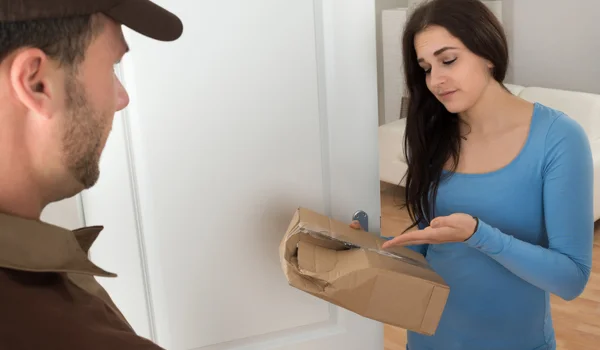
Online orders can be cancelled for many reasons. A customer may cancel the order before dispatch, the seller may cancel it because of stock problems, or the shopping platform may cancel it because of payment, delivery or verification issues.
If money has already been paid, the next question is usually: how to get a refund for a cancelled online order?
The refund process depends on the shopping platform, payment method, order status and reason for cancellation. In most cases, customers should first check the cancelled order details and refund status before contacting customer care.
What Happens After an Online Order Is Cancelled?
When an order is cancelled, the payment and refund process depends on whether the seller or platform has already received the money.
There are several possibilities:
- Payment was never completed.
- Payment was successful and refund is required.
- Payment was temporarily held or authorised.
- Cash on delivery order was cancelled before delivery.
- Part of a multi-item order was cancelled.
- The entire prepaid order was cancelled.
- A refund has already been initiated.
Therefore, cancellation does not always mean that the refund will appear in your bank account immediately.
First Check the Order Status
Before contacting customer care, open your shopping account and check the cancelled order.
Look for:
- Cancellation status
- Cancellation reason
- Payment status
- Refund status
- Refund amount
- Refund method
- Expected refund timeline
Take note of the information shown in the order details.
If the order says cancelled but refund pending, you may need to wait for the stated processing period or contact customer support if the expected period has already passed.
Check Whether You Actually Paid
The first thing to determine is whether money was successfully deducted.
For a prepaid order, check your:
- Bank account
- Credit card statement
- Debit card statement
- UPI transaction history
- Digital payment account
For a cash-on-delivery order that was cancelled before delivery, there is generally no payment to refund.
Check Your Bank or Payment Account
Sometimes the shopping platform may show a refund as processed while the amount takes additional time to appear in the payment account.
Check the original payment method.
For example:
| Payment Method | Where to Check |
| UPI | Bank account/payment history |
| Debit card | Bank statement |
| Credit card | Card statement |
| Net banking | Bank account |
| Wallet | Wallet transaction history |
| Other payment method | Relevant payment account |
The exact refund timing can vary depending on the payment method and financial institution.
Check the Refund Amount
Make sure the refund amount matches what you paid.
Review:
- Product price
- Shipping charges
- Discounts
- Coupons
- Taxes
- Other applicable charges
For a multi-product order, check whether the refund relates to the entire order or only the cancelled item.
Do not assume that the amount shown as the product price will always equal the final amount refunded.
What If the Order Was Cancelled by the Seller?
Sometimes the seller or platform cancels an order.
Possible reasons may include:
- Product unavailable
- Inventory issue
- Delivery restrictions
- Pricing or listing error
- Payment verification problem
- Technical issue
- Seller unable to fulfil the order
If you already paid, check whether the platform has automatically initiated the refund.
If there is no refund information, contact customer care.
What If You Cancelled the Order Yourself?
If you cancelled a prepaid order, check the cancellation confirmation.
The refund may be initiated automatically depending on the platform’s cancellation policy.
Check:
- Cancellation confirmation
- Refund amount
- Refund status
- Payment method
- Expected processing time
If the expected refund period has passed, contact customer support.
What If the Order Shows Cancelled but the Refund Is Not Showing?
This is one of the most common refund-related concerns.
First, check whether the platform says:
- Refund initiated
- Refund processed
- Refund pending
- Refund failed
- Refund not applicable
If the platform says the refund has already been processed, check the original payment account.
If the amount is still missing, ask customer care for the refund transaction or reference details, where available.
Keep the Refund Reference Number
If customer care provides a refund reference, save it.
This information can be useful when:
- Following up with the shopping platform
- Contacting your bank
- Checking a card refund
- Investigating a missing payment
Do not delete the original order information after cancellation.
Contact Customer Care
If the refund is not received within the stated timeframe, contact the shopping platform’s customer-service team.
Keep these details ready:
- Order number
- Cancellation date
- Product name
- Amount paid
- Payment method
- Refund status
- Refund reference number, if available
- Bank transaction details
Clearly explain that the order was cancelled but the refund has not been received.
Sample Refund Complaint
Subject: Refund Pending for Cancelled Order
Dear Customer Support,
My order was cancelled on [date], but I have not received the refund yet.
Order Number: [Order Number]
Product: [Product Name]
Amount Paid: ₹[Amount]
Payment Method: [Payment Method]
Cancellation Date: [Date]
The order status shows as cancelled, but the refund has not been credited to my original payment account.
Please check the refund status and provide the expected processing date and refund reference, if available.
Regards,
[Name]
What If the Refund Was Sent but Not Received?
If customer care says that the refund has already been processed, ask for the relevant refund reference or transaction information.
Then check with your bank or payment provider.
Provide:
- Refund reference
- Refund amount
- Refund date
- Original payment details
The bank or payment provider may be able to trace the transaction.
What If the Refund Goes to the Wrong Account?
In most cases, refunds are processed according to the platform’s refund policy and payment transaction.
If you believe the refund has been credited incorrectly, contact the shopping platform immediately.
Provide:
- Order number
- Original payment method
- Refund amount
- Refund reference
- Relevant account statement
Do not share your banking password, OTP or UPI PIN with anyone claiming to process the refund.
What If Only Part of the Order Was Cancelled?
Some orders contain multiple products.
For example:
- Product A — delivered
- Product B — cancelled
- Product C — delivered
In this situation, the refund may apply only to Product B and any applicable charges associated with it.
Check the order’s item-wise payment and refund details.
What If a Coupon or Discount Was Used?
Discounts and promotional offers can affect the final refund calculation.
Check:
- Original product price
- Discount amount
- Coupon value
- Final amount paid
- Refund amount
If the refund amount appears incorrect, ask customer care for a detailed calculation.
Do not rely only on the original product price when calculating your expected refund.
What If You Paid Through UPI?
If the cancelled order was paid through UPI, check the bank account linked to the UPI transaction.
Keep the original transaction details available.
If the platform confirms that the refund was initiated but the amount is missing, ask for the refund reference and contact the bank or payment provider if necessary.
What If You Paid by Credit or Debit Card?
Card refunds may take additional processing time after the merchant or platform initiates them.
Check your card statement rather than looking only at your available balance.
If the platform confirms that the refund has been processed but it does not appear in your statement, contact the card issuer with the refund reference.
What If You Paid Through Net Banking?
For net-banking payments, check the bank account from which the payment was made.
If the platform says the refund was completed but the amount is not visible, contact the bank after obtaining the relevant refund information.
Keep Your Documents and Records
Maintain a record until the refund is successfully received.
Useful documents include:
- Order confirmation
- Cancellation confirmation
- Invoice
- Payment receipt
- Bank statement
- Refund confirmation
- Refund reference
- Customer-care conversations
- Complaint number
This information can be helpful if you need to escalate the complaint.
What If Customer Care Does Not Help?
If the normal customer-care process does not resolve the issue, ask for escalation.
Explain:
- When the order was cancelled
- How much you paid
- When the refund was expected
- What customer care previously told you
- Why the issue remains unresolved
Ask for a formal complaint or grievance reference.
If the matter remains unresolved, consumers may also consider the applicable consumer grievance mechanism in India.
Avoid Refund Scams
Refund-related scams are common because fraudsters know that customers may be waiting for money.
Someone may call or message claiming:
“Your refund is stuck. Give us your OTP.”
or:
“Install this application so we can process your refund.”
Such requests should be treated with caution.
Never Share:
- OTP
- UPI PIN
- ATM PIN
- Card PIN
- Banking password
- Account password
- Remote-access credentials
You should also be suspicious of requests to transfer money to receive a refund.
A refund should not normally require you to disclose confidential banking credentials to an unknown person.
Do Not Click Unknown Refund Links
Fraudulent messages may contain links claiming to process a refund.
Instead of clicking an unknown link, open the shopping platform directly through its official app or normally accessed website and check the order yourself.
This reduces the risk of phishing and payment fraud.
How to Follow Up on a Pending Refund
If you have already contacted customer care, use your existing complaint number.
A useful follow-up message can be:
“My order was cancelled on [date]. The refund was expected by [date], but the amount has not been credited. My previous complaint reference is [number]. Please provide the current refund status and expected resolution date.”
This gives customer care the key information without requiring you to explain the entire matter again.
Common Mistakes to Avoid
Assuming Cancellation Means Immediate Refund
Cancellation and refund processing may be separate steps.
Not Checking the Payment Account
A refund may have been credited without you noticing it.
Losing the Refund Reference
Keep the reference until the amount is successfully received.
Making Another Payment
Do not pay someone who claims that a fee is required to release your refund unless you have independently verified the request.
Sharing OTPs
Never share OTPs with unknown callers or messages.
Ignoring Bank Statements
Check the actual payment account rather than relying only on customer-care messages.
Common Questions
How can I get a refund for a cancelled online order?
First check the cancelled order’s refund status. If a refund is pending beyond the stated processing period, contact the shopping platform with your order number, payment details and cancellation information.
How long does a cancelled-order refund take?
The timing can vary depending on the platform, payment method and financial institution. Check the refund timeline provided for your specific order.
What should I do if the platform says the refund was processed but I did not receive it?
Ask customer care for the refund reference and then check with your bank, card issuer or payment provider if necessary.
Can I get a refund for a cash-on-delivery order?
If you cancelled a cash-on-delivery order before making payment, there is generally no payment to refund. However, the platform may need to update the order status.
What if customer care does not provide my refund?
Follow up using the complaint reference and request escalation. If the issue remains unresolved, consider the applicable consumer grievance process.
Final Words
Knowing how to get a refund for a cancelled online order can help you handle payment problems without unnecessary confusion.
Start by checking the order status, cancellation confirmation and refund information. Confirm whether money was actually deducted and check the original payment account.
If the refund is not received within the applicable timeframe, contact customer care with your order number, payment details and cancellation information. If a refund reference is provided, keep it safely for follow-up with the platform or financial institution.
Most importantly, stay alert to refund scams. Never share OTPs, UPI PINs, passwords or other confidential financial information with unknown callers or messages, and never send money simply because someone claims it is required to release a refund.
About the Author